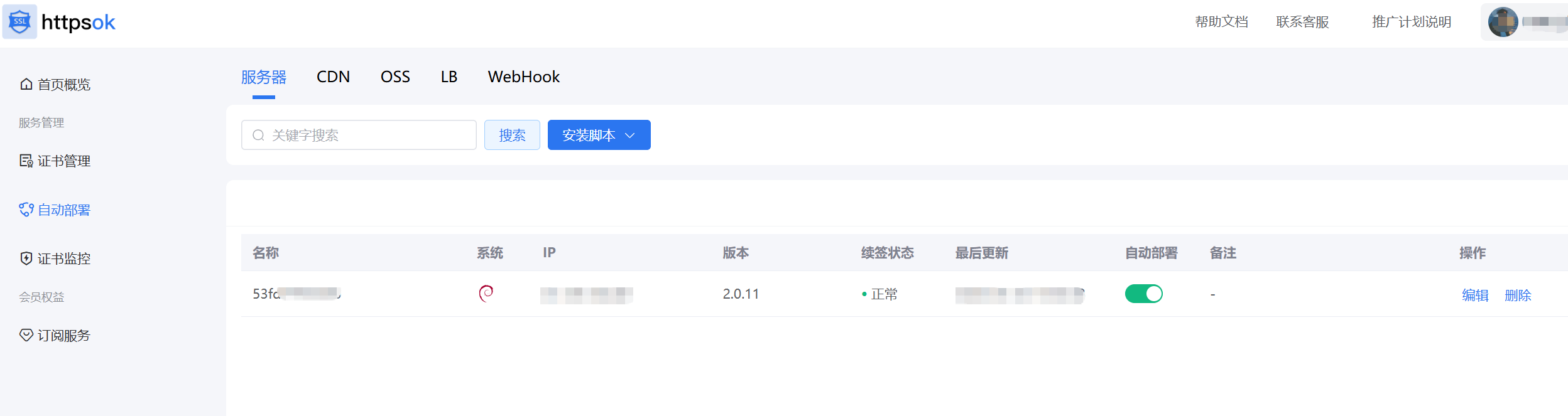
一、使用httpsok
地址: https://httpsok.com/
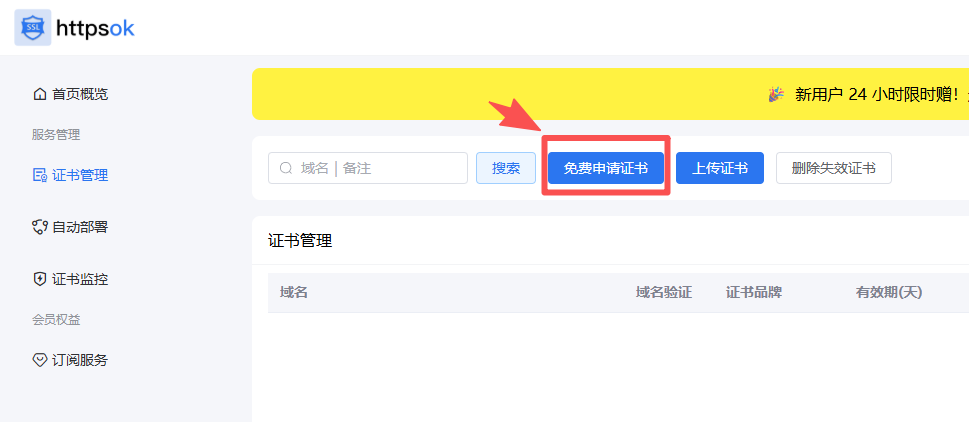
一、申请证书
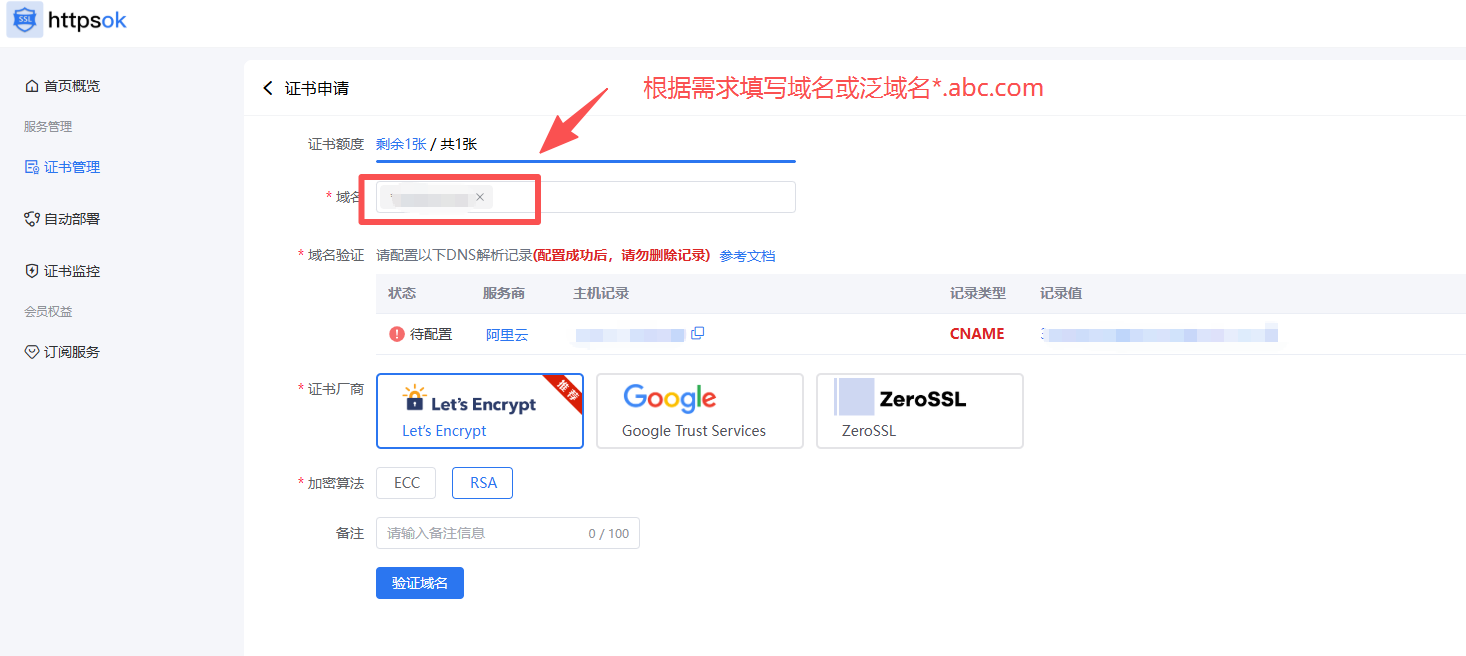
二、填写域名
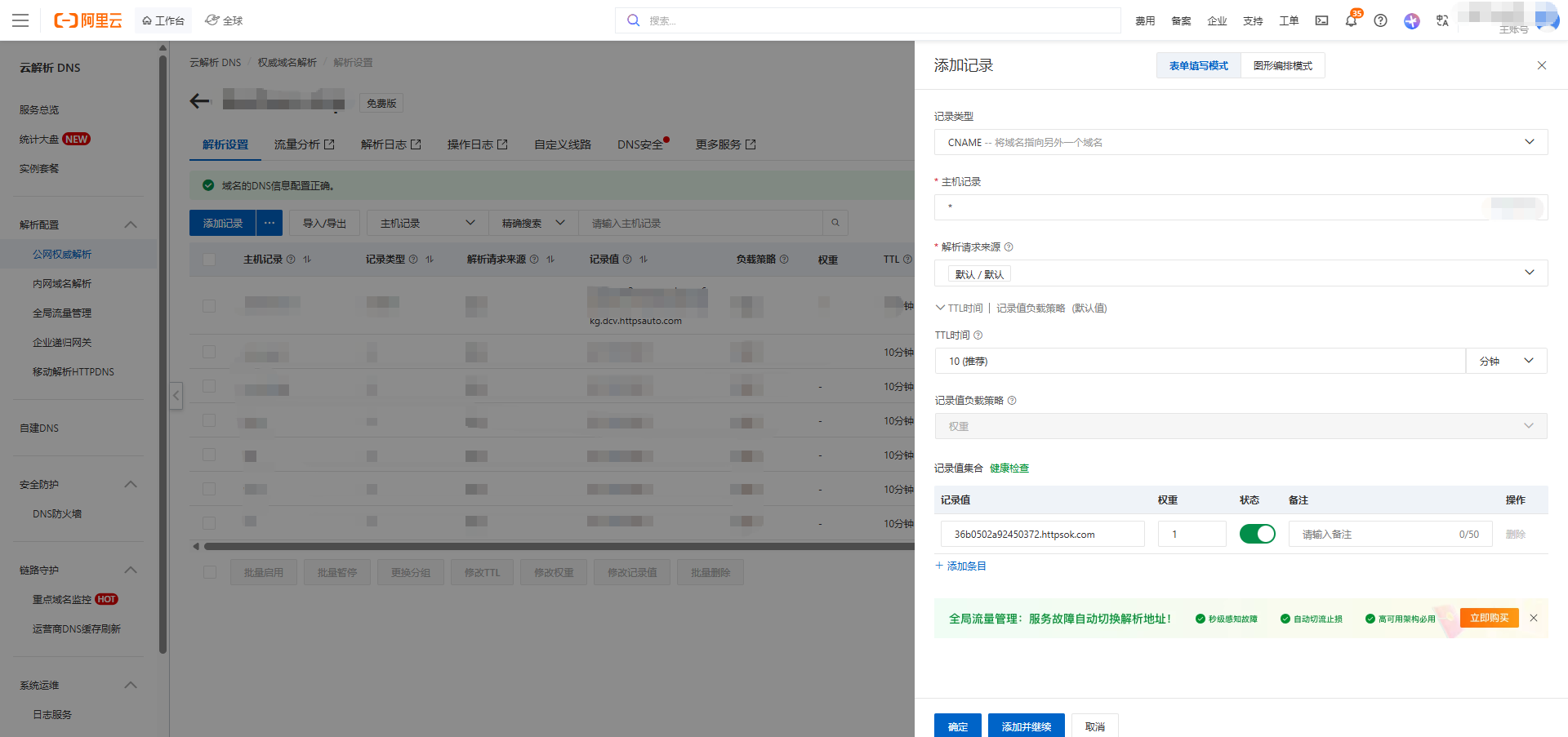
三、域名验证
在域名服务商处添加域名解析,此处以阿里云为例,进入控制台找到域名选项,添加解析记录
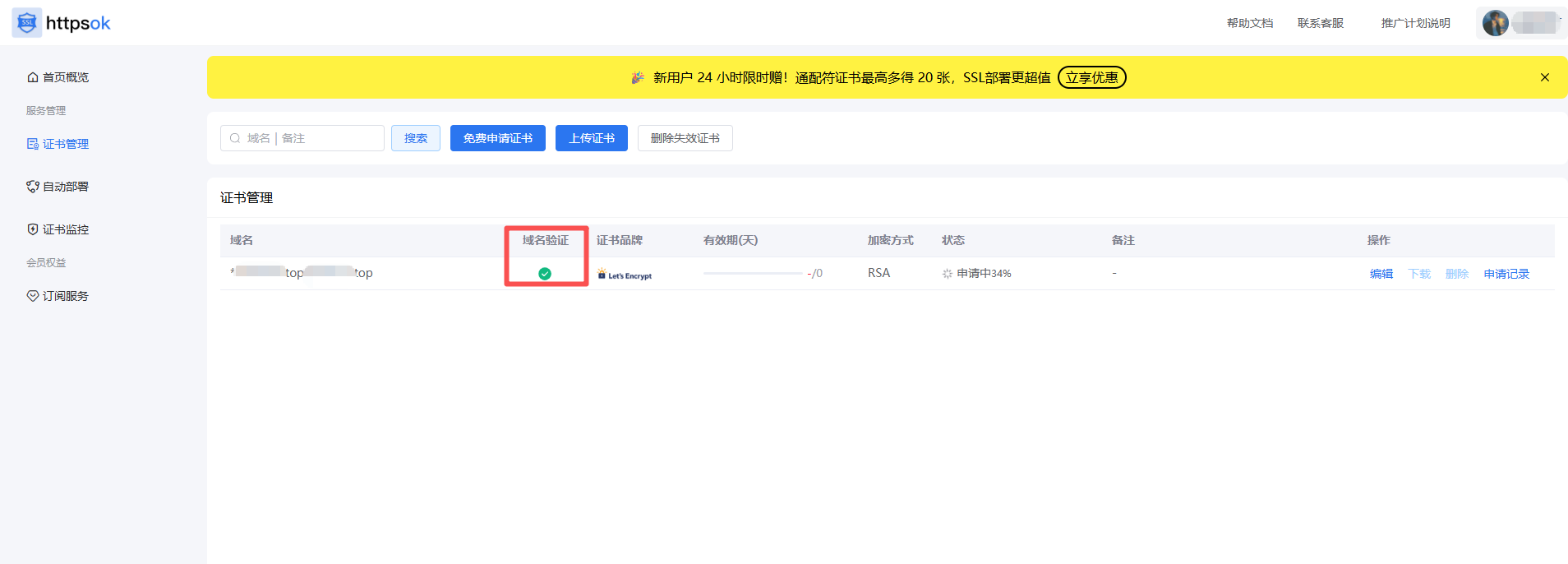
域名验证通过
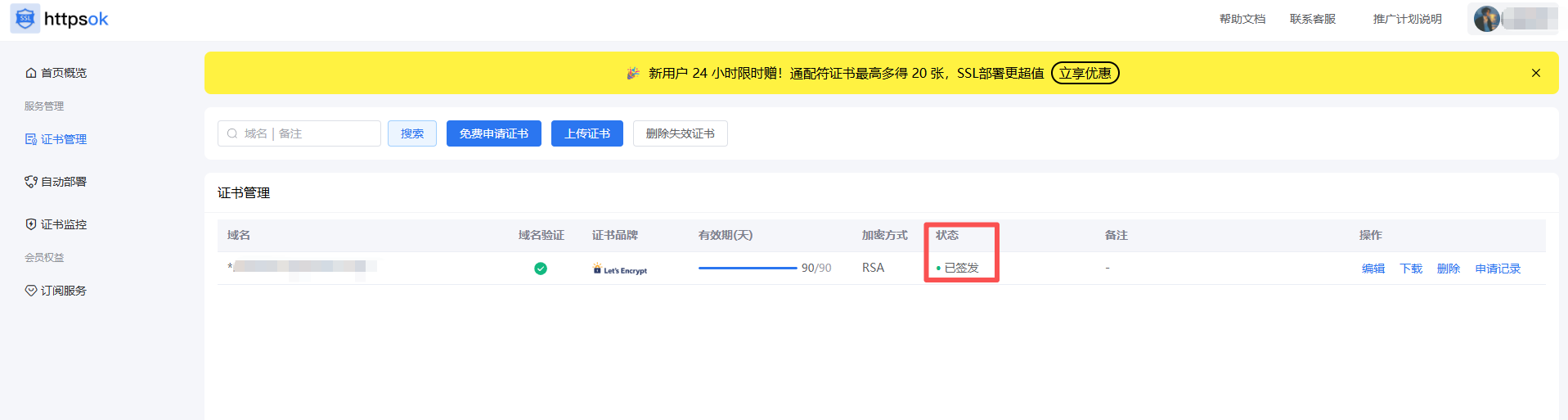
下发成功
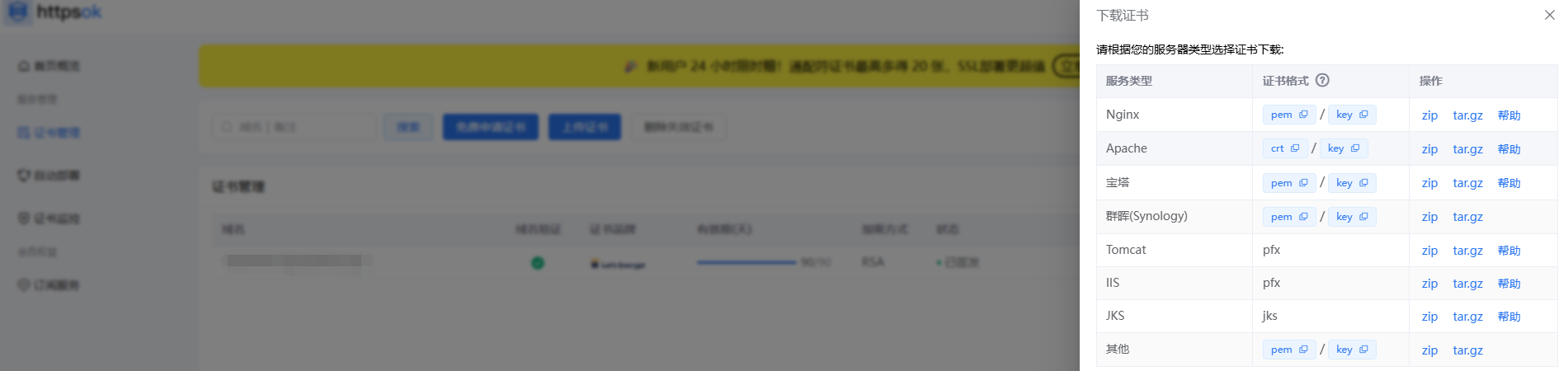
下载证书
四、配置nginx
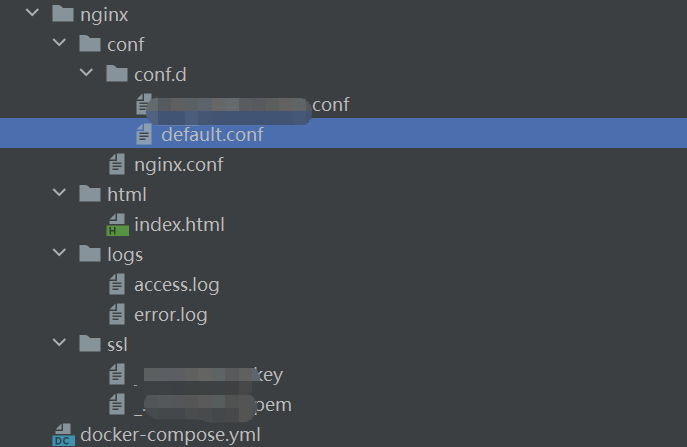
目录结构
docker-compose.yml 文件
version: '3'
# docker-compose -f docker-compose.yml up -d
services:
  nginx:
    image: nginx:1.28
    container_name: nginx
    ports:
      - '443:443'
      - '80:80'
    volumes:
      - ./nginx/logs:/var/log/nginx
      - ./nginx/html:/usr/share/nginx/html
      - ./nginx/conf/nginx.conf:/etc/nginx/nginx.conf
      - ./nginx/conf/conf.d:/etc/nginx/conf.d
      - ./nginx/ssl:/etc/nginx/ssl/
    privileged: true
    restart: always
nginx.conf
user  nginx;
worker_processes  auto;

error_log  /var/log/nginx/error.log notice;
pid        /var/run/nginx.pid;


events {
    worker_connections  1024;
}


http {
    include       /etc/nginx/mime.types;
    default_type  application/octet-stream;

    log_format  main  '$remote_addr - $remote_user [$time_local] "$request" '
                      '$status $body_bytes_sent "$http_referer" '
                      '"$http_user_agent" "$http_x_forwarded_for"';

    access_log  /var/log/nginx/access.log  main;

    sendfile        on;
    #tcp_nopush     on;

    keepalive_timeout  65;

    #gzip  on;

    include /etc/nginx/conf.d/*.conf;
}
default.conf
server {
    listen       80;
    listen  [::]:80;

    location / {
       root /usr/share/nginx/html;
       index index.html;
    }

    location /api {
        root /usr/share/nginx/html;
        index index.html;
    }

    error_page   500 502 503 504  /50x.html;
    location = /50x.html {
        root /usr/share/nginx/html;
    }

}
个人 域名配置 a.abc.com.conf
server {
    listen       80;
    listen  [::]:80;
    server_name  a.abc.com;

    rewrite ^(.*) https://$server_name$1 permanent;

}

server {
    listen       443 ssl;
    server_name  blog.beshore.top;

    ssl_certificate      /etc/nginx/ssl/_.abc.com.pem;
    ssl_certificate_key  /etc/nginx/ssl/_.abc.com.key;

    ssl_session_cache    shared:SSL:1m;
    ssl_session_timeout  5m;

    ssl_ciphers  HIGH:!aNULL:!MD5;
    ssl_prefer_server_ciphers  on;

    location / {
        proxy_set_header   X-Real-IP         $remote_addr;
        proxy_set_header   Host              $http_host;
        proxy_set_header   X-Forwarded-For   $proxy_add_x_forwarded_for;
        root   /usr/share/nginx/html;
        index  index.html index.htm;
    }

    error_page   500 502 503 504  /50x.html;
    location = /50x.html {
        root   /usr/share/nginx/html;
    }
}
上传文件到服务器并执行脚本
docker-compose up -d五、自动部署
如果执行crontab -l缺失命令,添加以下命令
docker exec -it nginx /bin/bash

echo 'deb http://deb.debian.org/debian bookworm main' > /etc/apt/sources.list
echo 'deb http://security.debian.org/debian-security bookworm-security main' >> /etc/apt/sources.list
echo 'deb http://deb.debian.org/debian bookworm-updates main' >> /etc/apt/sources.list

apt-get update
apt-get install -y cron
获取脚本
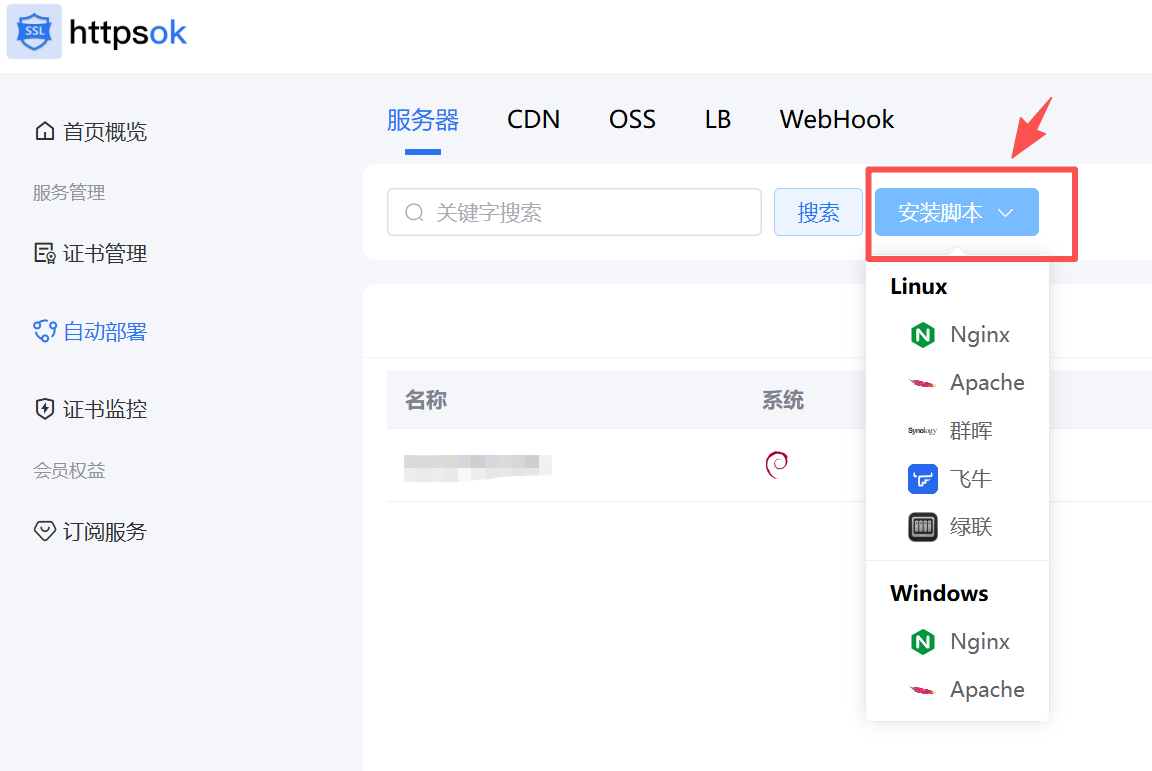
此处选择nginx,从 Docker Portainer 中的 Nginx 进入执行脚本。
如果提示
crontab not exits可以执行 crontab 安装。
部署成功后在此页面查看状态