ubuntu部署k3s+kuboard
1.安装docker(kuboard)
更新apt
sudo apt-get update安装基本软件
sudo apt-get install curl wget apt-transport-https ca-certificates software-properties-common添加docker秘钥
curl -fsSL https://download.docker.com/linux/ubuntu/gpg | sudo apt-key add -安装
sudo apt-get update
sudo apt-get install docker-ce
查看docker状态
systemctl status docker添加阿里镜像
sudo mkdir -p /etc/docker
sudo tee /etc/docker/daemon.json <<-'EOF'
{
  "registry-mirrors": ["https://bhfjayzb.mirror.aliyuncs.com"]
}
EOF
sudo systemctl daemon-reloadsudo systemctl restart docker安装k3s
更新源
apt-get update关闭防火墙
ufw disable关闭selinux
# 未安装可以不管
setenforce 0

vim /etc/selinux/conifg

SELINUX=disabled
设置网络(不设置可能出现节点之间dns失效):
tee /etc/sysctl.d/k8s.conf <<-'EOF'
net.bridge.bridge-nf-call-ip6tables = 1
net.bridge.bridge-nf-call-iptables = 1
net.ipv4.ip_forward = 1
EOF

modprobe br_netfilter
安装脚本
K3s 提供了一个安装脚本,可以方便地将其作为服务安装在基于 systemd 或 openrc 的系统上。该脚本可在 https://get.k3s.io 获得。要使用这种方法安装 K3s,只需运行:
curl -sfL https://rancher-mirror.rancher.cn/k3s/k3s-install.sh | INSTALL_K3S_MIRROR=cn sh -如需添加主机名 则加上 K3S_NODE_NAME=k3s-master 名字自取
curl -sfL https://rancher-mirror.rancher.cn/k3s/k3s-install.sh | INSTALL_K3S_MIRROR=cn K3S_NODE_NAME=k3s-master sh -查看master的token令牌 将token写入woker节点
cat /var/lib/rancher/k3s/server/token要安装其他 Agent 节点并将它们添加到集群,请使用 K3S_URL 和 K3S_TOKEN 环境变量运行安装脚本。以下示例演示了如何添加 Agent 节点:
curl -sfL https://rancher-mirror.rancher.cn/k3s/k3s-install.sh | INSTALL_K3S_MIRROR=cn K3S_URL=https://myserver:6443 K3S_TOKEN=mynodetoken sh -kuboard 安装(只能在amd64的服务器安装)
注意版本问题,直接使用eipwork/kuboard:v3镜像的默认版本是3.3.20,但是3.5.20才对arm进行了适配,所以需要单独指定版本
sudo docker run -d \
  -p 80:80 \
  --restart=unless-stopped \
  --name=kuboard \
  -e KUBOARD_ENDPOINT="http://ip:80" \
  -e KUBOARD_AGENT_SERVER_TCP_PORT="10081" \
  -v /root/kuboard-data:/data \
eipwork/kuboard:v3.5.2.0输入http://ip:80进入面板
账号:admin
密码:Kuboard123
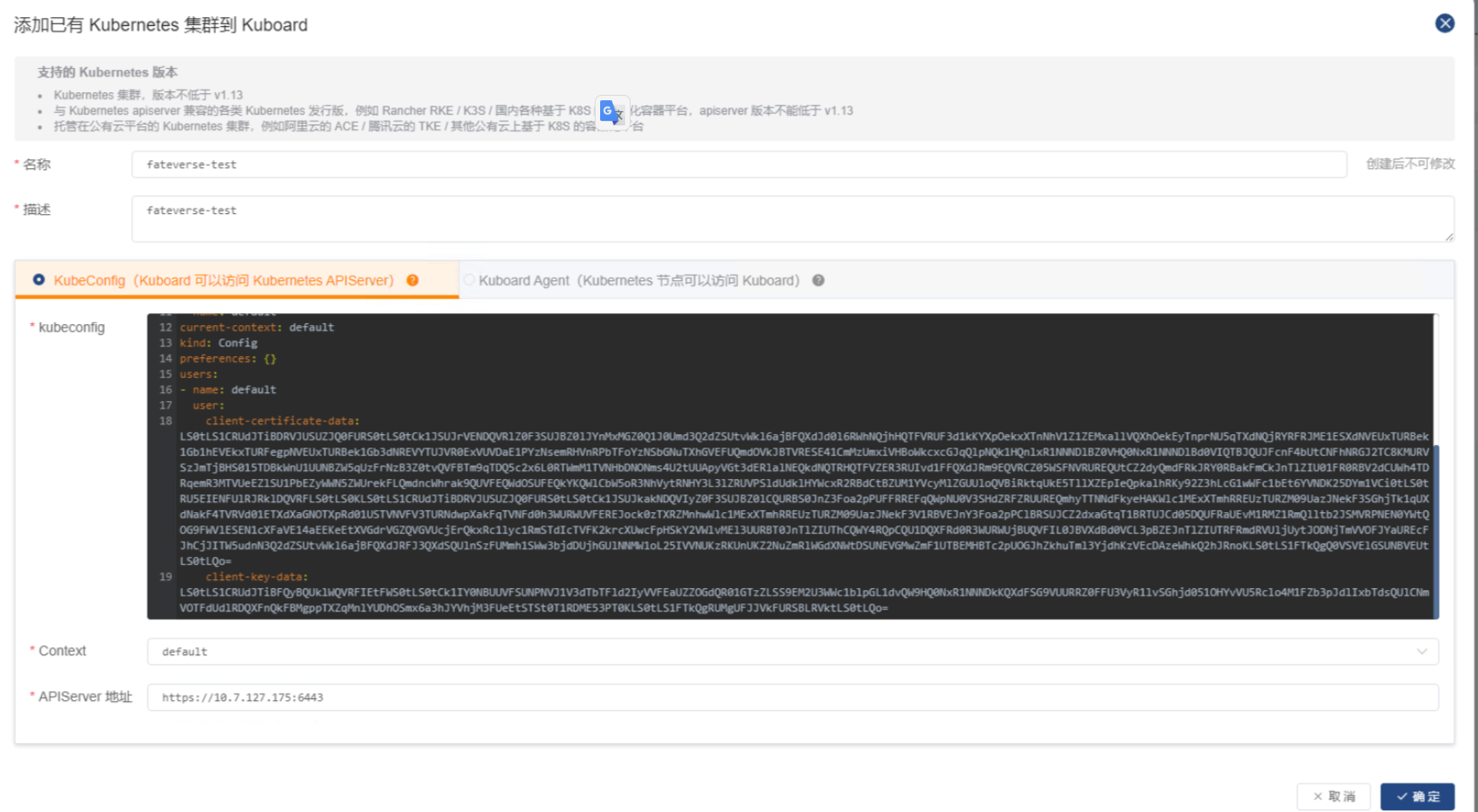
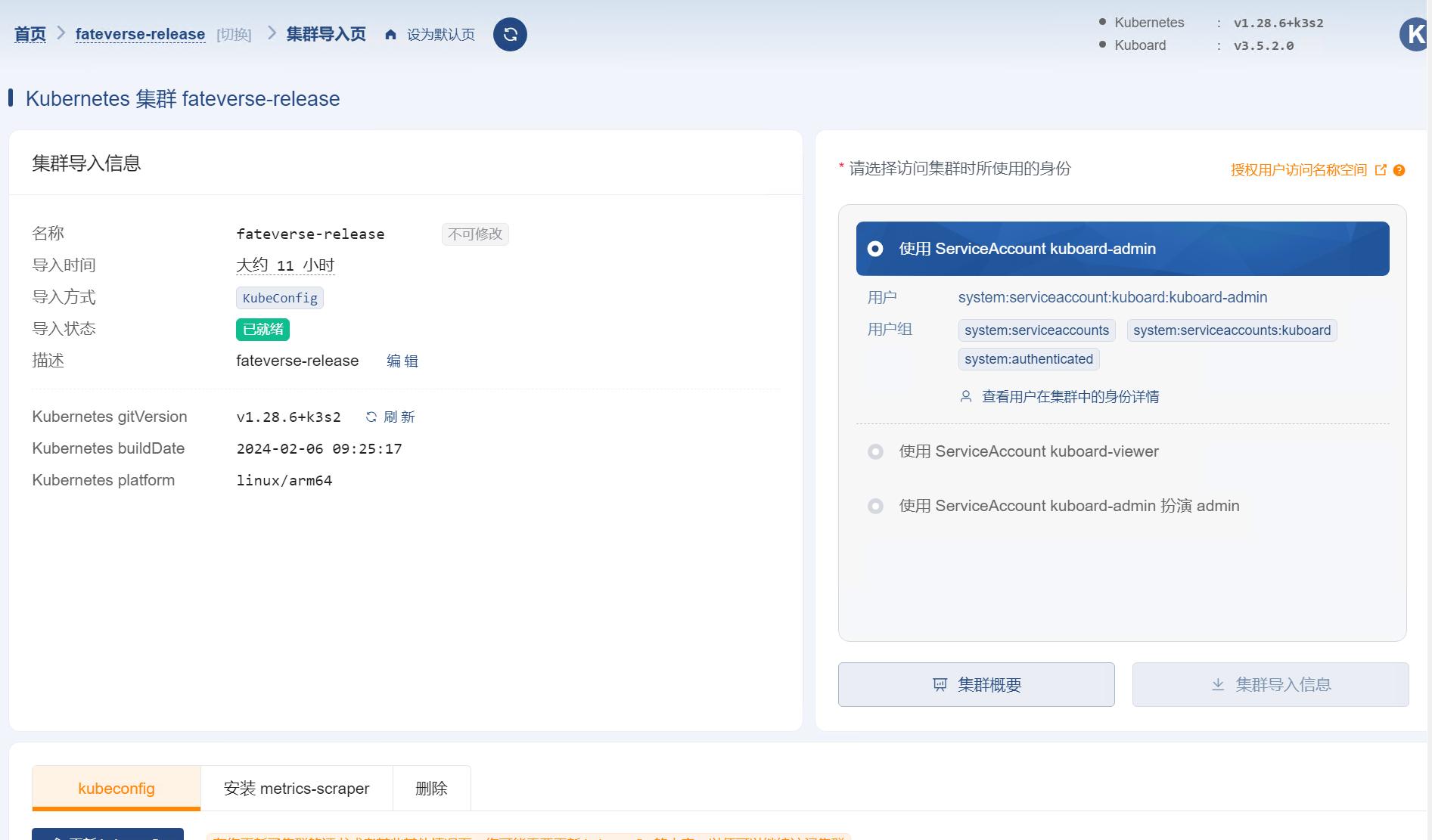
kuboard 集群导入
进入master节点
输入cat /etc/rancher/k3s/k3s.yaml
将内容复制进入以下方框 并输入apiserver